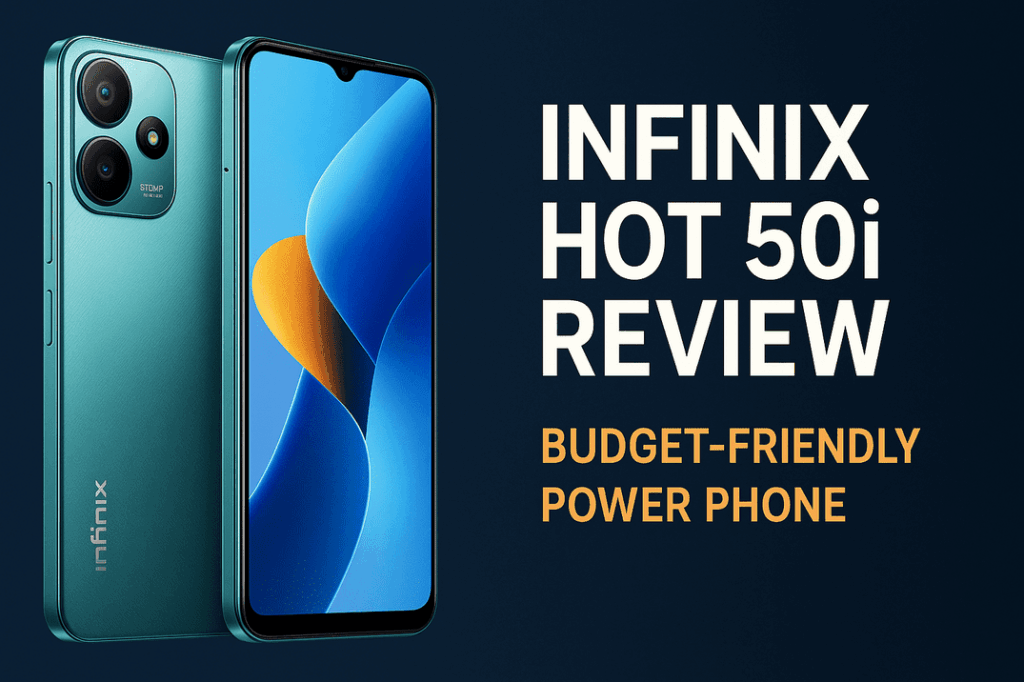
Let’s be honest: your smartphone is probably your biggest source of distraction. The endless scroll of social media, the constant ping of notifications, and the lure of entertainment are just a tap away. It’s a beautifully designed device, engineered to capture and hold your attention. But what if you could flip the script? What if that same device could become your most powerful ally in achieving your goals, managing your time, and organising your life? It’s not just possible; it’s easier than you think.
The key isn’t to get rid of your phone, but to change your relationship with it. By curating a small suite of powerful applications, you can transform it from a time-wasting machine into a streamlined productivity powerhouse. These aren’t just simple to-do lists or basic calendars. The apps we’re about to explore are robust systems designed to handle every aspect of modern work and life, from managing complex projects to building life-changing habits. This guide will walk you through five of the best apps that can revolutionise your workflow and help you reclaim your focus, all from the device in your pocket.
1. Notion: Your All-in-One Digital Workspace
If you’ve ever felt overwhelmed by juggling multiple apps for notes, tasks, documents, and spreadsheets, Notion is the solution you’ve been searching for. It’s less of an app and more of a digital Lego set—a flexible, all-in-one workspace where you can build the exact system you need. Whether you’re a student organising lecture notes, a freelancer managing client projects, or a team collaborating on a product launch, Notion adapts to your needs.
What Makes Notion a Productivity Powerhouse?
The magic of Notion lies in its block-based system. Every piece of content—a paragraph, a heading, an image, a to-do item—is a “block” that you can move, transform, and connect. This simple concept unlocks incredible power.
- Databases: This is Notion’s killer feature. You can create powerful databases that look like simple tables but can be viewed as calendars, Kanban boards, galleries, or lists. Imagine managing your content calendar, tracking job applications, or planning a trip, all with custom properties, filters, and sorting. You can track a project’s status, assign tasks, set deadlines, and link related documents all in one place.
- Linked Information: Unlike traditional note-taking apps where information lives in isolated folders, Notion allows you to link everything. You can mention another page, a person, or a date within any document. This creates a web of interconnected knowledge, a personal wiki for your life and work. Your meeting notes can link directly to the project plan, which in turn links to the client’s contact information.
- Templates: The Notion community and the company itself provide thousands of templates to get you started. From weekly planners and habit trackers to full-blown content management systems, you don’t have to start from scratch. You can find a template for almost any need, customise it, and make it your own.
- Ultimate Flexibility: You can start with a simple, blank page for jotting down ideas and gradually build it into a sophisticated dashboard that runs your entire life. Embed maps, videos, code snippets, and even other apps. The customisation is virtually limitless.
Real-World Use Case
Imagine you’re a student. You can create a main “University Dashboard” in Notion. Inside, you create a database for all your courses. Each course is an entry in the database with properties like “Professor,” “Credits,” and “Semester.” Clicking on a course opens up its own page where you can embed your syllabus, take lecture notes, create a to-do list for assignments using a linked database, and even embed study materials like PDFs and YouTube lectures. Everything for your academic life is organised, interconnected, and accessible from your phone.
2. Todoist: The Master of Task Management
A to-do list app is fundamental to productivity, but many are either too simple to be useful or too complex to be used consistently. Todoist strikes the perfect balance. It’s clean, fast, and incredibly intuitive, yet packed with powerful features that can handle everything from daily errands to long-term, multi-stage projects. Its true strength is its ability to get tasks out of your head and into an organised system with almost zero friction.
What Makes Todoist a Productivity Powerhouse?
Todoist is built for speed and efficiency. It understands that if capturing a task takes too long, you simply won’t do it. Its features are designed to make task management seamless and integrated into your natural workflow.
- Natural Language Input: This is Todoist’s secret weapon. You can type “Submit the project report every Friday at 4 pm starting next week” and the app will automatically create a recurring task with the correct due date and time. This small feature saves an incredible amount of time and makes adding tasks feel conversational rather than administrative.
- Projects, Sub-tasks, and Labels: Organisation is simple yet robust. You can create projects to house all the tasks related to a specific goal (e.g., “Website Redesign”). Within each task, you can create multiple sub-tasks with their own due dates. You can also add labels (e.g., @urgent, @email, @home) to group related tasks across different projects, allowing you to see all your high-priority items at once.
- Powerful Filters and Views: Todoist lets you create custom views based on your own criteria. For example, you can create a filter to show “all tasks assigned to me in the ‘Work’ project that are due in the next 7 days and are labelled @urgent.” This allows you to create personalised dashboards that show you exactly what you need to focus on, right now.
- Karma and Productivity Visualisation: Todoist gamifies productivity with its “Karma” system. You earn points for completing tasks on time and build up streaks. The app also provides beautiful visualisations of your productivity, showing you your busiest days and tracking your progress towards your goals. This provides positive reinforcement and motivation to stay on track.
Real-World Use Case
A freelance graphic designer can use Todoist to manage their entire client pipeline. They can create a project for each client. Within each project, they can list tasks like “Initial client call,” “Create mood board,” “Design first draft,” and “Send final invoice.” Each task can have a due date. Using labels like @design, @admin, and @communication, they can easily filter their daily view to see all the design work they need to do today, regardless of which client it’s for.
3. Forest: Stay Focused, Plant a Tree
The single biggest challenge with using your phone for productivity is the phone itself. Forest tackles this problem head-on with a brilliantly simple and effective concept. It’s a focus timer that gamifies the act of staying off your phone. The premise is straightforward: when you want to concentrate on a task, you open the app and plant a virtual tree. The tree grows over a set period (e.g., 25 minutes). If you leave the app to check Instagram or answer a text, your tree withers and dies.
What Makes Forest a Productivity Powerhouse?
Forest leverages psychological principles to help you build better habits. It reframes the abstract goal of “staying focused” into a tangible, visual, and emotionally resonant one: keeping your tree alive.
- Positive Reinforcement: Each successful focus session adds a tree to your virtual forest. Over time, you can look back at a lush, growing landscape that represents all the time you’ve spent on deep, meaningful work. This visual progress is far more motivating than just looking at a log of hours.
- Real-World Impact: Forest partners with a real-tree-planting organisation, Trees for the Future. As you spend virtual coins earned during focus sessions, the company donates to plant actual trees in the real world. This adds a layer of altruism to your productivity; your focus is literally helping to make the world a greener place.
- Whitelist Functionality: The app understands that sometimes you need to use your phone for work. You can create a “whitelist” of apps that you’re allowed to use during a focus session without killing your tree. This is perfect if you need to access your dictionary app, calculator, or even your to-do list while working.
- Detailed Statistics: Forest tracks your focused time, showing you daily, weekly, and monthly charts of your productivity. You can also tag your focus sessions with categories like “Work,” “Study,” or “Reading” to see where your time is really going.
Real-World Use Case
A writer working on a novel needs to block out distractions. They set a 60-minute timer in Forest and plant a tree. For the next hour, the psychological barrier of not wanting to kill the tree prevents them from mindlessly checking their notifications or browsing the web. They get an hour of uninterrupted writing done, their virtual forest grows, and they get closer to earning enough coins to plant a real tree.
4. IFTTT: The Automation Super-Connector
IFTTT, which stands for “If This, Then That,” is the digital glue that connects all your different apps and services. It automates the small, repetitive tasks that drain your time and energy. It works on a simple principle: you create “Applets” that trigger an action in one service when something happens in another. The possibilities are nearly endless, allowing you to create custom workflows that are perfectly tailored to your life.
What Makes IFTTT a Productivity Powerhouse?
Its power comes from its vast ecosystem of integrations. IFTTT connects hundreds of services, from social media platforms and smart home devices to email clients and cloud storage. This lets you build bridges between the digital tools you already use.
- Save Time on Repetitive Tasks: Think about all the small things you do every day. Saving email attachments to Dropbox, posting your Instagram photos to Twitter, adding calendar events to a spreadsheet. IFTTT can do all of this for you automatically, in the background, freeing up mental bandwidth for more important work.
- Create a Centralised Information Hub: You can use IFTTT to pipe information from various sources into one central location. For example, you could create Applets to automatically add any articles you save in Pocket, videos you like on YouTube, and songs you Shazam to a single Notion database or Google Sheet.
- Integrate Your Digital and Physical Worlds: IFTTT connects to smart devices. You can create an Applet that turns on your smart lights when you arrive home (based on your phone’s location) or starts your smart coffee maker when you dismiss your morning alarm. This seamless integration removes friction from your daily routines.
- No-Code Simplicity: You don’t need to be a programmer to use IFTTT. The interface is visual and intuitive. You simply choose your “If This” trigger service and then your “Then That” action service, and the app guides you through the rest.
Real-World Use Case
A social media manager can supercharge their workflow with IFTTT. They could create an Applet: “IF I post a new photo on Instagram, THEN automatically share it as a native photo on Twitter.” Another one could be: “IF a specific news site publishes an article with the keyword ‘digital marketing,’ THEN send me a push notification and add the link to a Google Sheet.” This automates content sharing and industry monitoring, saving hours each week.
5. Habitica: Gamify Your Life and Goals
Building good habits and breaking bad ones is one of the hardest parts of self-improvement. Habitica turns this struggle into a fun and engaging role-playing game (RPG). Your tasks and goals become monsters to defeat and quests to complete. It’s a brilliantly creative way to apply the principles of game design—rewards, progression, and social accountability—to real-life productivity.
What Makes Habitica a Productivity Powerhouse?
Habitica works because it taps into our innate desire for achievement and reward. By framing your to-do list as a game, it makes even mundane tasks feel more exciting and meaningful.
- Three Types of Tasks: Habitica organises your goals into three categories. “Habits” are things you want to do more or less of (e.g., +Eat a healthy meal, -Drink soda). “Dailies” are tasks you need to do every day, like flossing or clearing your inbox. “To-Dos” are one-off tasks. Checking off these items gives you experience points (XP), gold, and sometimes item drops.
- Character Progression: As you complete tasks, your custom avatar levels up, just like in a video game. You earn gold to buy better armour, weapons, and even fun pets and mounts. Missing your Dailies or engaging in bad Habits will cause your character to lose health. This system provides clear, immediate feedback on your actions.
- Social Accountability and Quests: You can join a “Party” with friends. Together, you can go on quests to defeat giant monsters. To damage the monster, everyone in the party needs to complete their daily tasks. If someone misses their tasks, the entire party takes damage. This creates a powerful sense of positive peer pressure and shared purpose.
- Tangible Rewards: Beyond the in-game items, you can create your own custom rewards. You could set a reward like “Watch one episode of a show” and set its cost at 100 gold. This forces you to “earn” your leisure time by being productive first, creating a healthy work-reward cycle.
Real-World Use Case
Someone trying to adopt a healthier lifestyle can use Habitica to track their goals. They might create Dailies like “30-minute walk” and “Drink 8 glasses of water.” They can add Habits like “+Take the stairs” and “-Eat junk food.” Their To-Do list might include “Buy running shoes.” As they stick to their plan, their character becomes more powerful, they can buy cool gear, and they can see their progress in a way that feels fun and rewarding, not like a chore.
Conclusion: Your Phone, Your Powerhouse
Your smartphone doesn’t have to be a liability. It is, without a doubt, one of the most powerful tools ever created, and it’s right there in your pocket. The difference between a tool of distraction and a tool of productivity lies entirely in how you use it. By strategically installing and committing to apps like Notion, Todoist, Forest, IFTTT, and Habitica, you can build a personalised system that supports your goals, streamlines your workflow, and protects your focus.
Start small. Don’t try to implement all five at once. Pick the one that addresses your biggest pain point right now. Is your life disorganised? Try Notion. Do you struggle to stay off social media? Download Forest. By taking intentional steps to curate your digital environment, you can transform your phone from your biggest distraction into your greatest asset—a true productivity powerhouse.