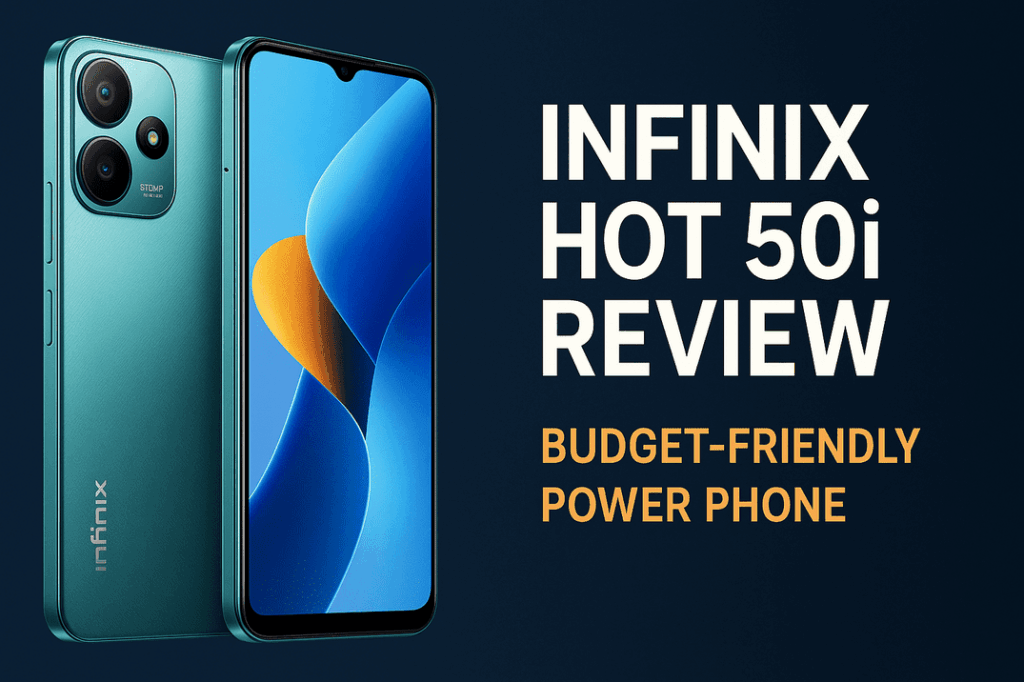
It’s a story as old as the smartphone itself, a digital tragedy that plays out in the palm of our hands. You have a phone—maybe a two-year-old Samsung, Tecno, or iPhone—that has been your faithful companion. It was once blazingly fast, a pocket-sized powerhouse that handled everything you threw at it with ease. Then, the notification appears. “A new software update is available.” You hesitate for a moment, a flicker of doubt in your mind, but you tap “Install Now,” trusting in the promise of new features and better security. The next morning, you wake up to a different device. It feels sluggish, apps take a split-second longer to open, and animations stutter where they once glided. Your once-loyal companion feels tired, old, and frustratingly slow.
This experience is so universal that it has fueled one of the most persistent conspiracy theories in modern technology: planned obsolescence. The idea is that manufacturers like Apple, Samsung, and Google are deliberately pushing out updates that secretly slow down your older phone. Why? To frustrate you just enough to give up and buy their latest, most expensive model. It feels true, it sounds plausible, and for many, it’s the only logical explanation for a perfectly good device suddenly losing its spark.
But is it the truth? Is there a shadowy cabal of engineers in Silicon Valley plotting the demise of your two-year-old phone with every line of code? Or is the reality something more complex, a confluence of factors where the culprit isn’t malice, but the relentless, forward march of technology itself? Today, we’re digging deep past the myths and the frustration to uncover the real truth about software updates and why your phone seems to be getting slower.
The Elephant in the Room: Let’s Talk About Planned Obsolescence
Before we can get to the technical reasons, we have to address the conspiracy theory head-on. The concept of planned obsolescence is very real. It’s a strategy where a product is designed to have a limited lifespan, becoming obsolete or non-functional after a certain period, to encourage a repeat purchase. We see it in everything from fashion to electronics. But does it apply to software updates deliberately slowing down your phone?
The belief that it does isn’t entirely without merit, thanks to one infamous, real-world example: Apple’s “Batterygate” scandal from 2017. It was discovered that Apple was indeed slowing down older iPhones through software updates. The revelation sparked outrage and class-action lawsuits, seemingly proving the conspiracy correct. However, the reason behind it was more nuanced than pure corporate greed. Apple was throttling the processor’s performance on iPhones with older, chemically degraded batteries. They did this to prevent the phones from drawing too much power from the aging battery at once, which could cause an unexpected shutdown. Their goal was to preserve stability, but their cardinal sin was a lack of transparency. They didn’t tell anyone they were doing it.
The fallout from “Batterygate” was immense. Apple paid hefty fines and was forced to be more transparent, introducing a “Battery Health” feature into iOS. This scandal put the entire industry on notice. Today, deliberately slowing down a phone via an update without a very good, transparent reason is a massive legal and public relations risk that most manufacturers are unwilling to take. While the result—a slower phone—might be the same, the cause is rarely an intentional plot to force an upgrade. The real reasons are often a combination of physics, engineering, and the unavoidable consequences of progress.
Reason 1: The Inevitable Hardware and Software Mismatch
This is the single biggest, most impactful reason why your older phone feels slower after a major update. Think of it like this: the hardware in your phone—the processor, the RAM, the graphics chip—is a snapshot in time. The processor in a top-of-the-line 2023 phone was engineered to be a champion at running 2023 software. It was perfectly balanced to handle the demands of that year’s operating system and apps.
Now, fast forward to today, in late 2025. A major new operating system, like Android 16 or iOS 19, is released. This new software is not designed for the phones of yesteryear; it is designed to take full advantage of the powerful new hardware inside 2025’s flagship phones. This new OS comes packed with more sophisticated features, more complex animations, smarter AI-driven background processes, and stricter security protocols. Each of these additions, while beneficial, requires more processing power and consumes more memory.
When you install this heavy, modern 2025 software on your 2023 hardware, you create a fundamental mismatch. Your phone’s processor now has to work significantly harder just to perform the same basic tasks. Opening an app might now involve running new security checks in the background. Swiping between screens might involve rendering more complex visual effects. The 6GB or 8GB of RAM that was once plentiful is now being filled up faster by the OS’s increased demands, forcing the phone to close background apps more often, which you experience as a delay when you switch back to them.
Think about your trusty Infinix Note or Samsung A-series from two years ago. It was a hero in its day, but asking it to run the latest OS is like asking a reliable Toyota Corolla to haul a trailer full of cement. It might be able to do it, but it’s going to struggle, feel sluggish, and strain its engine. It’s not that the car (your phone) is bad; it’s that the load (the new software) is much heavier than what it was originally designed to carry.
Reason 2: The Unseen Culprit, A Dying Battery
Often, the slowdown we blame on a software update has less to do with the code and more to do with the chemistry inside your phone. Every smartphone is powered by a lithium-ion battery, and every lithium-ion battery is a consumable component that degrades over time. From the very first day you use your phone, its battery begins a slow, irreversible decline in health.
This degradation means two things: first, it holds less of a charge than when it was new (which is why your two-year-old phone doesn’t last as long as it used to). Second, and more critically for performance, its ability to deliver peak power on demand diminishes. Think of the battery as a water pipe. When it’s new, the pipe is wide and can deliver a powerful gush of water instantly. As it ages, the pipe gets narrower and clogged, and it can only deliver a weaker stream.
Your phone’s processor is a thirsty component. When you launch a demanding app or game, it asks the battery for a sudden, powerful gush of electricity. If your battery has aged and can’t provide that power spike, the phone’s entire system can become unstable and crash, resulting in a sudden reboot. To prevent this from happening, the phone’s operating system has a built-in safety feature. It constantly monitors the battery’s health, and if it detects that the battery is too weak to handle peak demands, it will intelligently limit the maximum speed of the processor. This is called throttling.
You, the user, don’t get a notification saying “Your processor is being throttled.” You simply experience it as lag. Apps take longer to load, the keyboard seems to have a delay, and the whole device feels sluggish. You blame the new software update you just installed, but in reality, the update may simply be more intelligent at managing the limitations of your aging battery to keep your phone stable.
Reason 3: Not All Updates Are Created Equal (Bugs and Bloat)
Finally, sometimes the update itself is part of the problem, but not for conspiratorial reasons. Developing a new operating system is an incredibly complex undertaking. The first public release of a major new OS—the “.0” version—is often not perfect. It can contain unforeseen bugs, inefficiencies in the code, and a lack of optimization for the dozens of different older hardware configurations it needs to support.
It often takes a few smaller, incremental updates (the “.0.1” or “.1” releases) for developers to gather data, fix bugs, and optimize the software’s performance on older devices. This is why sometimes, your phone might feel slow immediately after a big update, but then feel a bit snappier after a smaller “bug fix” update a few weeks later. It’s not a plot; it’s just the natural cycle of software development.
Furthermore, it’s not just the OS that’s evolving. Our apps are too. The version of WhatsApp, Instagram, or your mobile banking app that you use today is far more complex and resource-hungry than the version you used two years ago. They have more features, track more data, and run more processes in the background. The cumulative effect of all your apps becoming “heavier” over time contributes significantly to the feeling that your once-fast phone is now struggling to keep up.
So, Should You Stop Updating Your Phone? (The Verdict and What You Can Do)
After hearing all this, you might be tempted to avoid software updates altogether. This would be a serious mistake. The single most important reason to update your phone is security. Software updates contain critical patches that fix vulnerabilities discovered by security researchers. These vulnerabilities, if left unpatched, can be exploited by hackers to steal your personal data, access your banking information, and compromise your privacy. The risk of not updating is far greater than the annoyance of a slightly slower device.
So, what can you do if you have an older phone? You can be proactive.
- Manage Expectations: Understand that a three-year-old phone will not feel brand new after a major OS update. The goal is stability and security, not a magical speed boost.
- Perform a “Post-Update” Cleanup: For major OS upgrades, one of the best things you can do is back up all your data and then perform a full factory reset. This clears out years of accumulated junk files and gives the new OS a clean slate to work from. It’s a hassle, but it can make a world of difference in performance.
- Check Your Battery Health: Dive into your phone’s settings (usually under a “Battery” menu) and check its health. If the maximum capacity is below 80-85%, its ability to deliver peak performance is likely compromised. Replacing the battery is often the single most effective way to restore a significant amount of your phone’s original speed.
- Tweak Your Settings: You can help your older hardware by reducing its workload. Go into your settings and disable or reduce motion and animations. Limit the number of apps that are allowed to refresh in the background. Use “Lite” versions of apps like Facebook and X when available.
Conclusion: A Case of Evolution, Not Conspiracy
The feeling that your phone is slowing down after an update is real, but the cause is rarely a sinister plot to force your hand. The truth is far more mundane. It’s the natural, predictable outcome of technological evolution. You are running highly advanced, resource-intensive modern software on hardware that is, by tech standards, aging. You’re doing it with a battery that has physically degraded over thousands of charge cycles.
Instead of falling for the myth of planned obsolescence, we can empower ourselves with knowledge. By understanding the interplay between software demands, hardware limitations, and battery health, we can make smarter decisions, manage our devices more effectively, and appreciate them for what they are: incredible pieces of technology doing their best to keep up with a future they weren’t originally built for.